Live — rendering catalogs right now

One feed in.
A whole catalog of ads out.

Kreativeplay binds a designed template to your product feed and renders a finished catalog ad for every row — AI-staged photography included, exported to every ad platform. No designer queue. No export hell.

Every image on this page was generated & rendered by Kreativeplay itself.
kreativeplay · render pipeline
Finished catalog ad
Kreativeplay is rendering the ad…
reading feed…
1 / row
one ad per product — bind the template once, every feed row renders itself
1080²
native renders, auto-cropped to each placement
minutes
feed → finished, and re-rendered automatically when the feed changes
One feed → every ad platform
Meta Google TikTok Snapchat Pinterest
Try it — this is live, not a video

Edit the feed.
Watch the ad re-render.

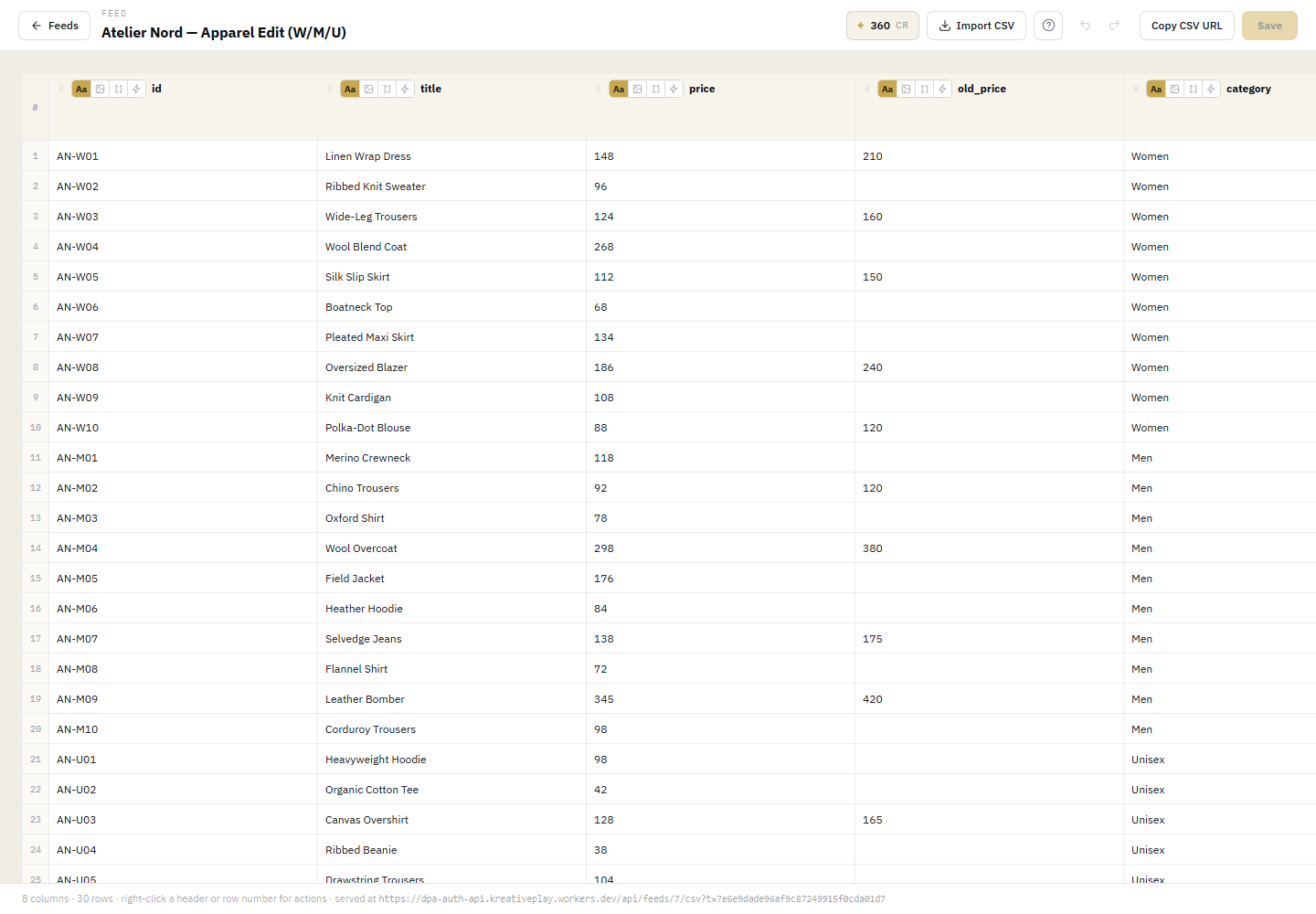
The spreadsheet below is a real demo feed; the panel beside it is the actual production template rendering in your browser. Click a row, or double-click a title or price to edit it — the ad follows instantly.

feed.csv Click a row to bind it · edit title or price and watch the ad follow
idtitlepriceold_pricecategory
live render·editorial-soft-sale·
↑ the same template the render pipeline used for every finished ad on this page
AI Feed Studio — built in

Flat pack-shots become photography.

The same product from your feed — background removed, or re-staged into a styled scene. Drag the handles. These are real, unretouched outputs.

FEED PHOTOAI LIFESTYLE ✦

FEED PHOTOAI LIFESTYLE ✦

FEED PHOTOAI LIFESTYLE ✦

◌ background removal ⌂ scene staging ✎ image edit ⊞ generate from text — all four run inside the feed editor, per cell or per column.
AI template generator

No template?
Describe one.

Tell Kreativeplay the look you want and it writes the template — you just bind your feed to it. Every layout on this page is a real template; here's one being generated.

kreativeplay · template generator
✦ Generate template
Kreativeplay is building the template…
Generated template preview ✦ generated template
Views & rules

One feed.
Every layout, automatically.

Kreativeplay reads each row and routes it to the right view — sale, by-segment, by-region — from your data, not by hand. Watch each row get routed:

feed row
rule
matched view
views in this campaign
Routed finished ad
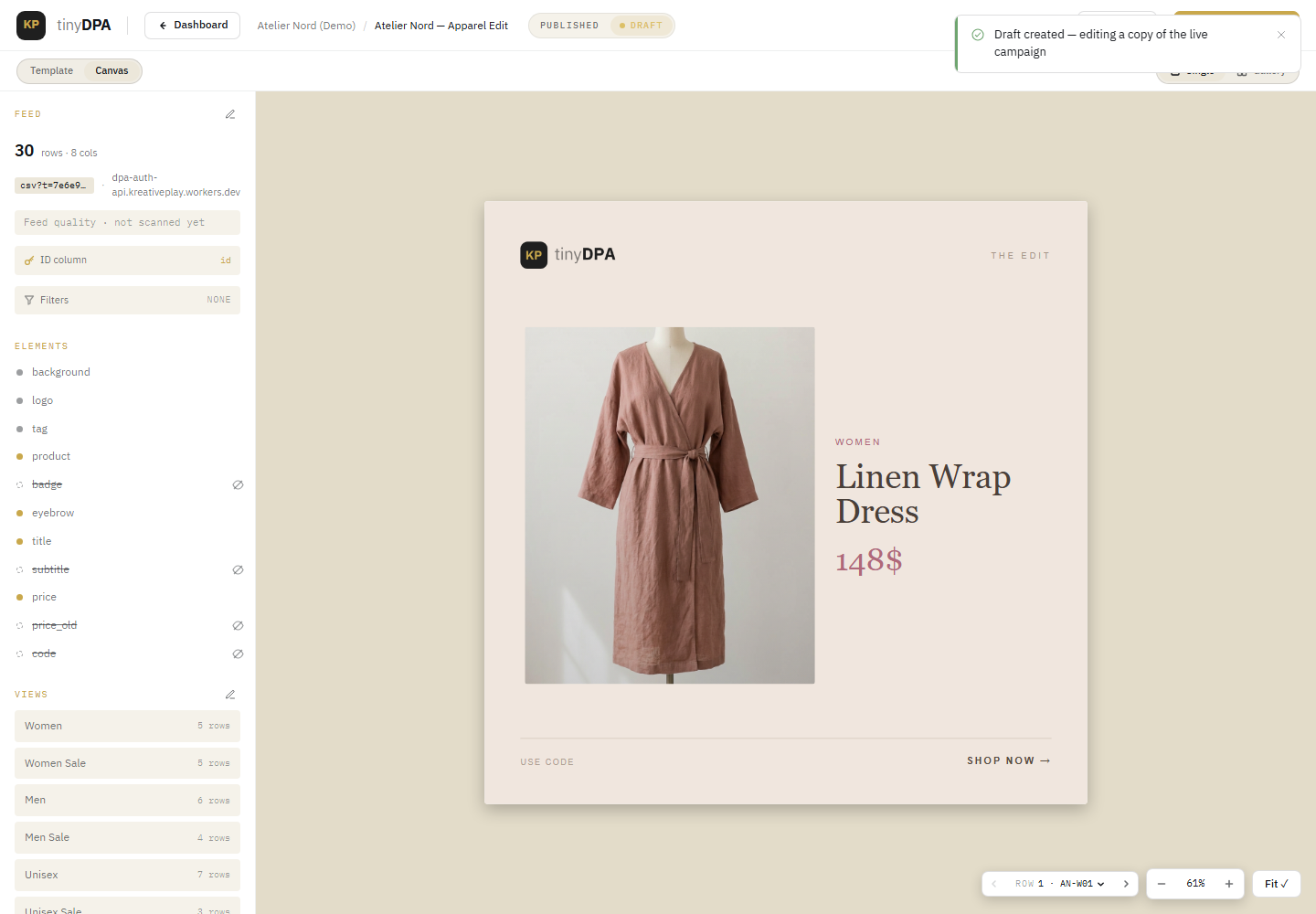
The builder's Views rail and Manage views & rules
IN THE BUILDER

Where you manage views

The builder's Views rail lists every view with its row count; Manage views & rules is where you add a view and the one-column rule that routes rows to it. No per-ad editing — change the feed and the ads follow on the next sync.

Prepaid packs

Pay for renders.
Not per seat.

A prepaid image balance plus AI tokens for the studio — buy a pack, render against it, top up when you need to. No per-seat tax, no annual lock-in.

Live pricing from our pricing engine (USD). Hover a pack to see what it runs. Custom volumes are sized at onboarding; self-serve checkout is enabled at launch.

Inside the tool

The same surface,
shown with real data.

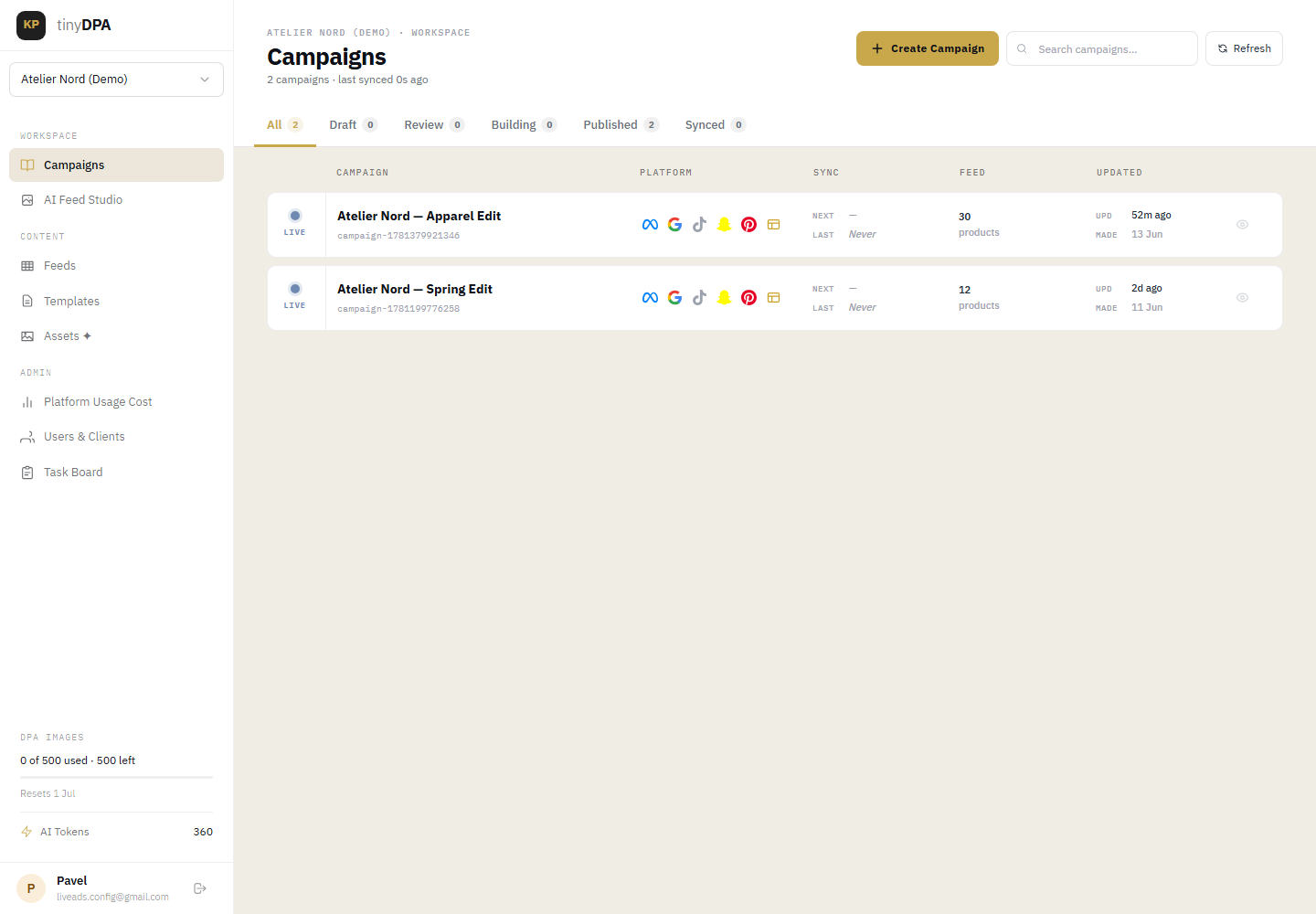
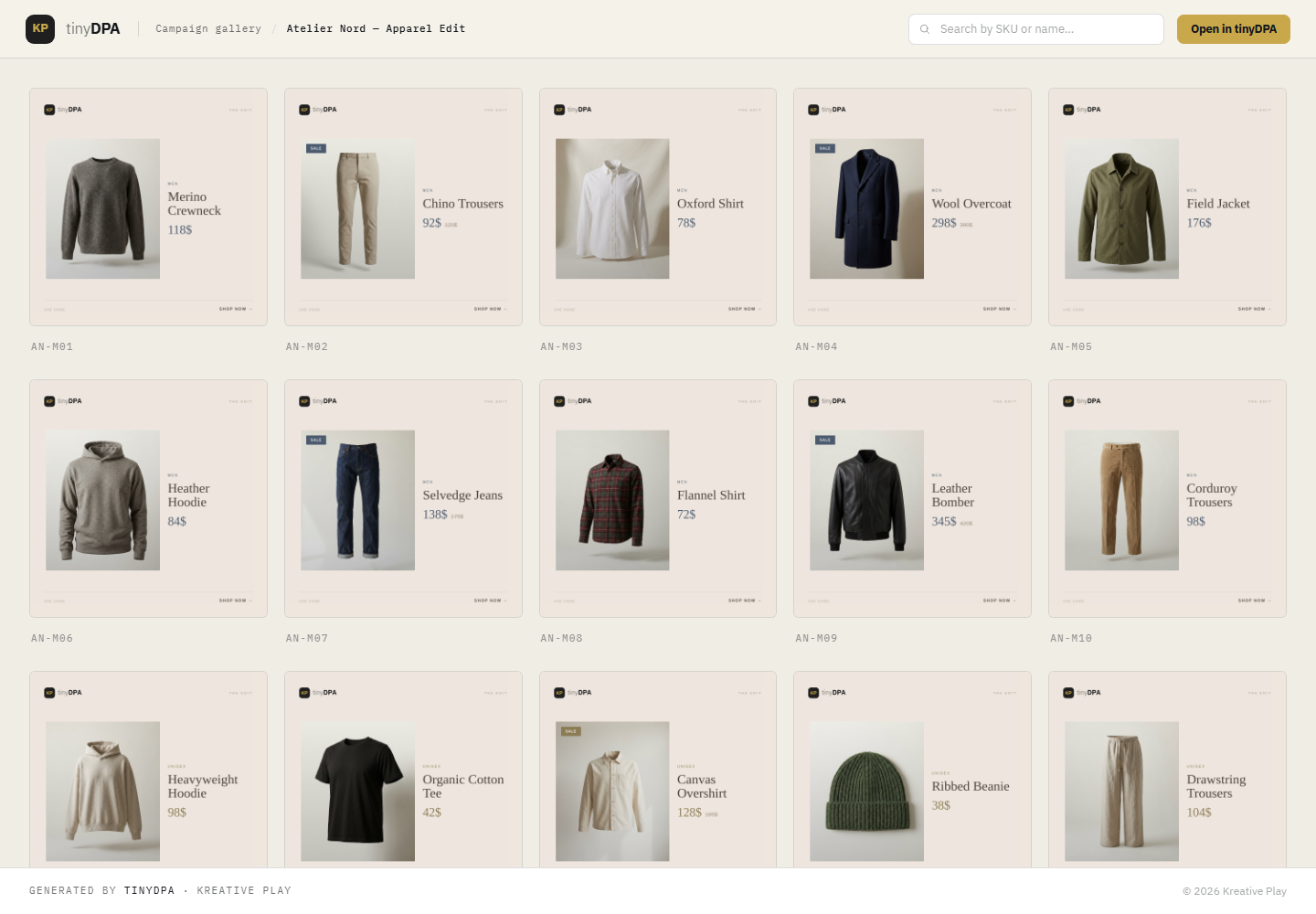
These are screenshots of the actual platform running the demo campaign — feed editor, the in-cell AI studio, the builder canvas, the published campaign and the gallery.

Kreativeplay feed editor
01 — FEED + ITS TOOLS

Author the feed

Rows and columns inline — and the AI studio lives in the cell tools.

✦ Generate column⌂ Stage scene◌ Remove bg⛒ Mergelive CSV
Published campaign
02 — PUBLISHED

Per-platform feeds

Every row rendered, with product feeds you paste into each platform.

MetaGoogleTikTokAuto-syncRegenerate
Gallery of finished ads
03 — GALLERY

Every finished ad

One 1080×1080 composite per row, routed to its view.

per-view routing1080²per-platform cropsshareable

Want the receipts? See the full run log →

Bind one template.
Ship the whole catalog.

Private beta — onboarding a handful of catalog-heavy teams now.